
Download Argente Software Updater – software updater, update manager, Windows update tool, free software update, automated update tool, Windows utility
Overview
Argente Software Updater is a free Windows utility designed to simplify the often tedious task of keeping installed applications up to date. The app addresses a common pain point for users: the time-consuming and error-prone process of manually checking for updates across multiple software programs. By automating this workflow, it enables users to maintain a secure, stable, and efficient computing environment without constant oversight. The tool is particularly useful for individuals who manage multiple applications, including developers, remote workers, and general users seeking to reduce system vulnerabilities.
It functions as a centralized update manager, scanning the system to detect installed software—some of which may not appear in standard control panels. This comprehensive detection ensures that no outdated program slips through the cracks. The application supports both manual and automatic update modes, offering flexibility based on user preference and security policies. While the developer, Argente Software, is not detailed further in available data, the app’s purpose is clearly defined: to provide a reliable, lightweight solution for software maintenance on Windows platforms.
Real-world use cases include regular system hygiene for home users, IT administrators managing multiple endpoints, and professionals requiring up-to-date tools for work. In the broader software ecosystem, Argente Software Updater fills a niche for lightweight, free utilities that enhance system reliability without bloating performance. Its role as a productivity booster is especially relevant in environments where software security and performance are critical.
Key Features & Functionality
- Automated Software Detection: The tool performs a deep scan of the system to identify all installed applications, including those hidden from standard Windows interfaces. This ensures a complete inventory of software, reducing the risk of outdated or vulnerable programs remaining undetected.
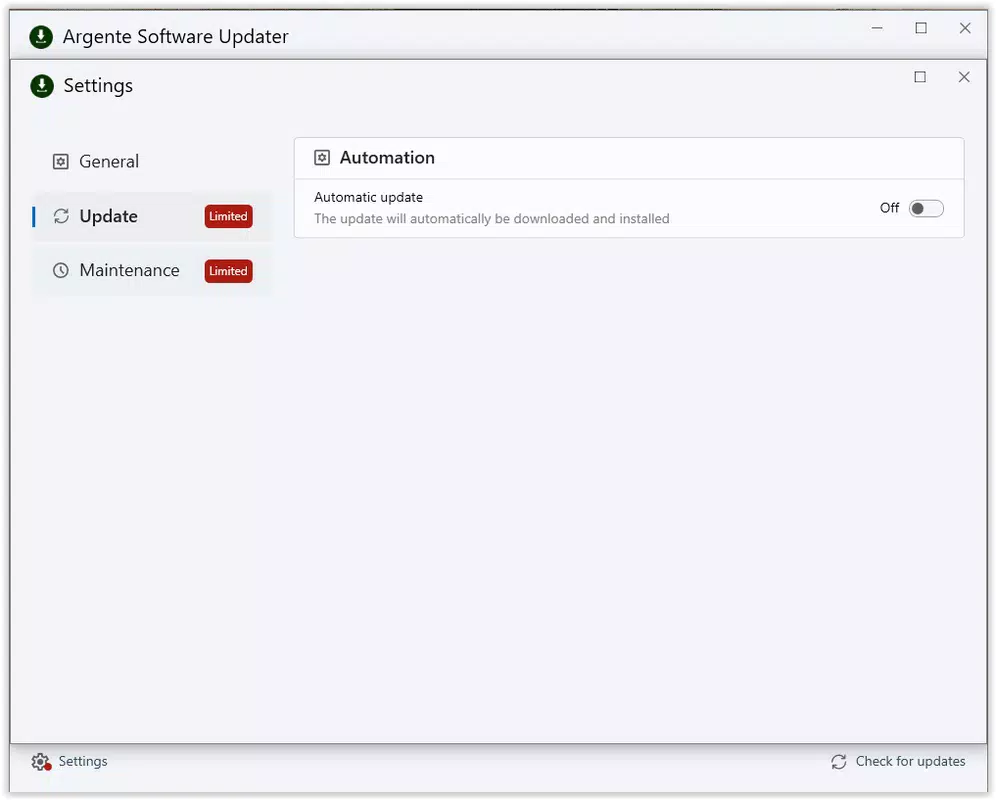
- Manual or Automatic Update Options: Users can choose between a fully automated update process that applies all available updates without intervention, or a manual selection mode that allows granular control over which software to update. This dual approach caters to both novice users and advanced users who prefer oversight.
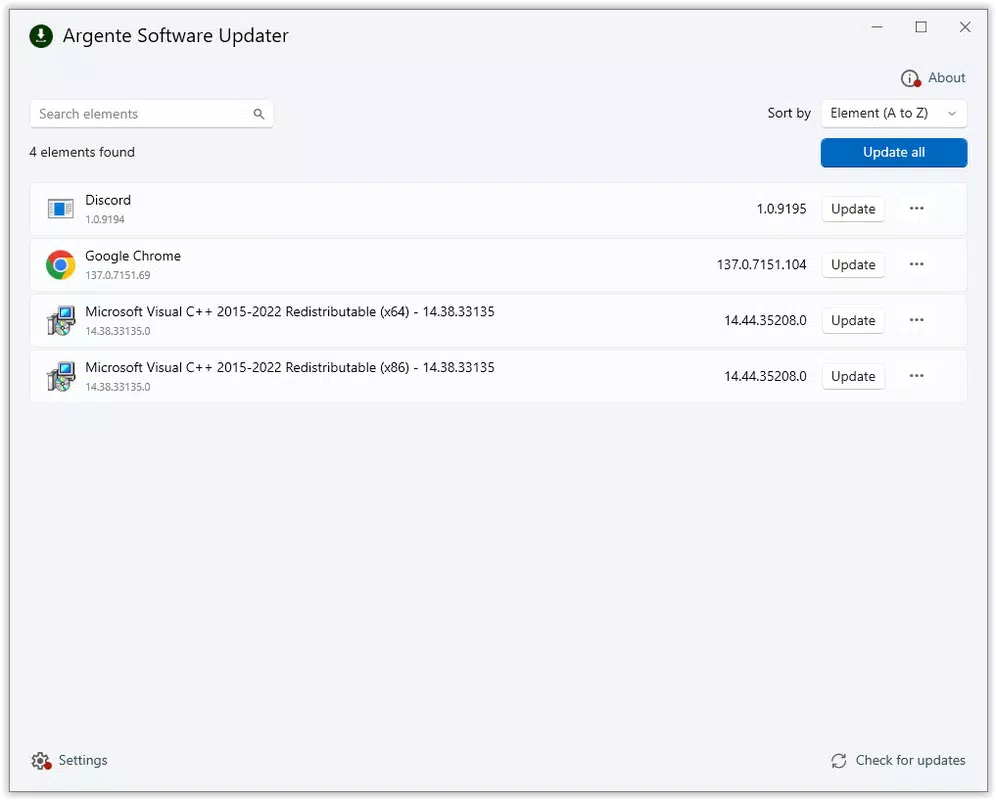
- Easy-to-Use Interface: The app features a clean, intuitive layout that guides users through the update process in just a few clicks. The update panel clearly displays all detected applications with their current and latest versions, enabling quick decision-making.
- Continuous Database Updates: The software maintains a regularly refreshed database of known application versions. This ensures that users are informed about the most recent releases, including security patches and feature improvements.
- Free and Efficient Design: As a completely free tool, Argente Software Updater delivers significant value by eliminating the need for paid update management solutions. Its lightweight footprint of 10.2 MB ensures minimal impact on system resources during operation.
For example, a user managing a home office setup can run a weekly scan to ensure all software—from browsers to productivity suites—is current. An IT technician could deploy the tool across multiple machines to standardize update procedures. The tool’s efficiency makes it suitable for both individual and small-scale organizational use.
Interface, UX & Performance
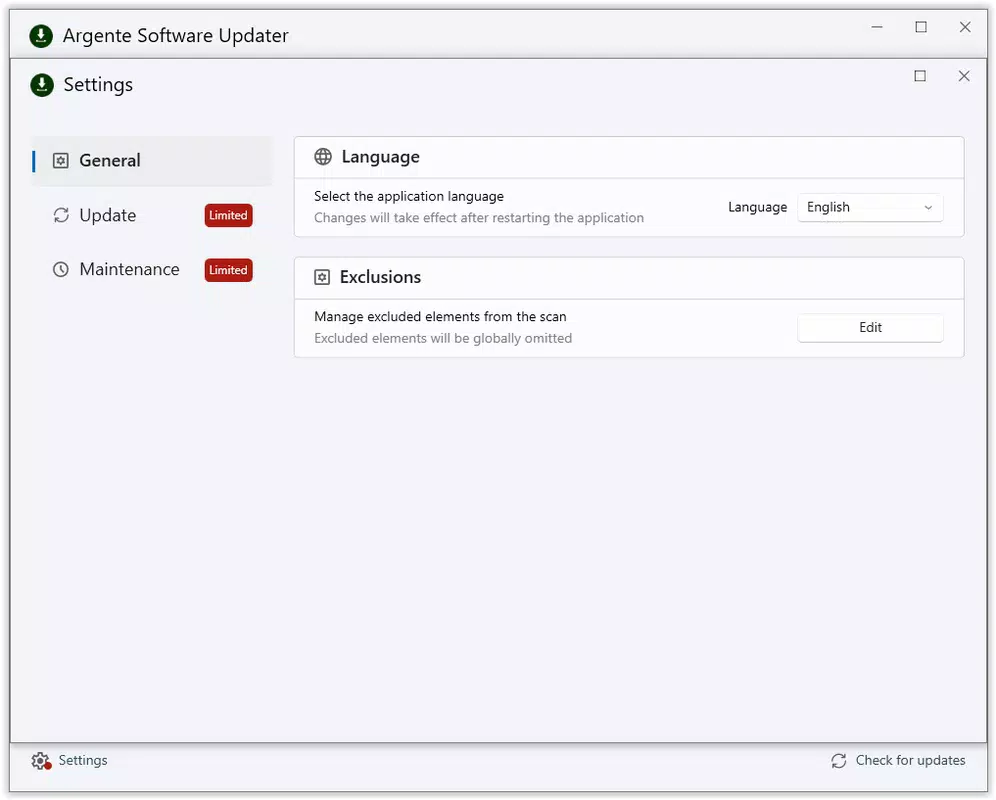
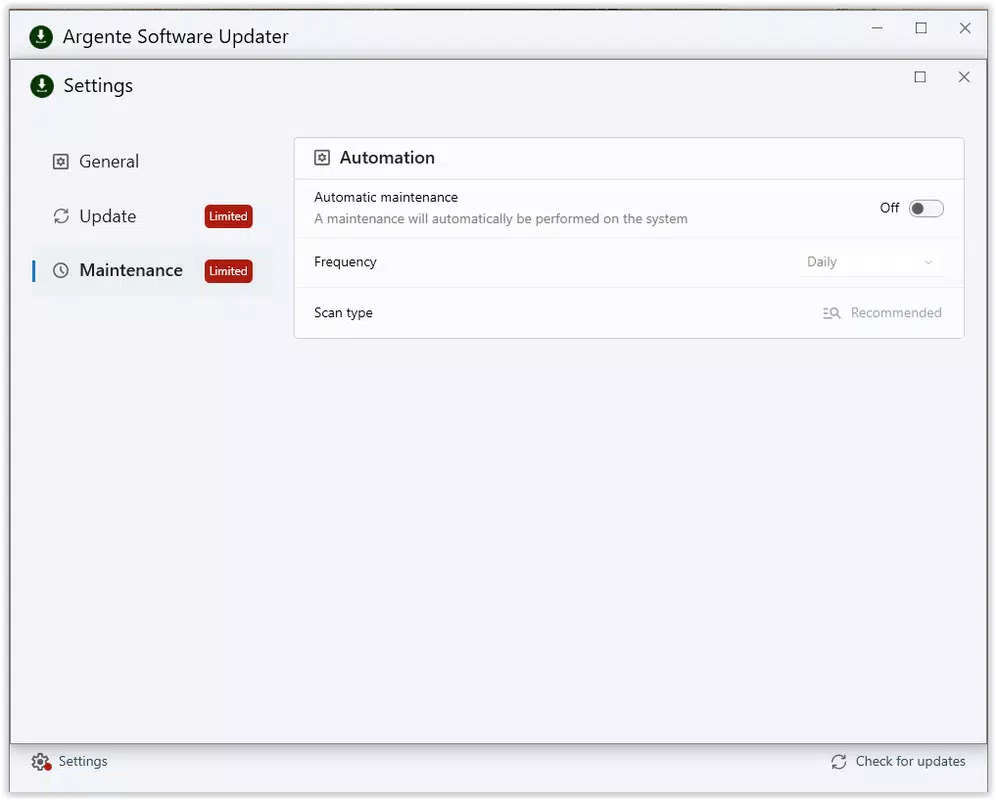
The interface of Argente Software Updater is designed with usability in mind, featuring a straightforward layout that minimizes user friction. Navigation is intuitive, with key functions such as scanning and updating accessible via clearly labeled buttons. The visual style is minimalistic, avoiding clutter while still presenting essential information like application names, current versions, and available updates.
Users can initiate a scan with a single click, after which the tool displays a list of detected software with version details. The update panel is organized in a way that highlights critical updates, though the developer did not specify any prioritization logic. The app’s responsiveness appears consistent across different device categories, though specific performance benchmarks were not provided.
Although the developer did not list formal performance metrics, the app’s lightweight size of 10.2 MB suggests low resource consumption. Stability during scanning and update execution is expected to be high, given the focus on automation and efficiency. However, no third-party testing data or user reports were included in the provided information. The tool does not appear to require extensive permissions, which contributes to its secure and non-intrusive nature.
Platform Compatibility & Technical Requirements
Argente Software Updater is designed exclusively for the Windows platform, with no information available on compatibility with other operating systems. The current version is 2.0.2.0, released on August 4, 2025. The application has a file size of 10.2 MB, which is relatively small and conducive to quick downloads and installations.
Specific system requirements such as minimum OS version, processor speed, or RAM were not disclosed by the developer. As such, compatibility with older or newer Windows versions remains unspecified. The developer did not provide detailed information about supported architectures (e.g., 32-bit vs. 64-bit). Users are advised to verify system compatibility before installation, especially on legacy or specialized environments.
Pros and Cons
- Completely free to use with no hidden costs
- Lightweight at only 10.2 MB in size
- Supports both automatic and manual update modes
- Scans for hidden or obscure applications not visible in Control Panel
- Regularly updated database ensures access to latest software versions
- Developer did not provide detailed system requirements
- Platform availability limited to Windows only
- Specific compatibility with older Windows versions not confirmed
- No information on update rollback or backup features
- No visible integration with enterprise management tools
FAQ
Is Argente Software Updater safe to download and use?
Yes, the app is free and designed to operate securely on Windows systems. It does not require elevated privileges for basic scanning and does not install additional software.
Can I use this tool on older versions of Windows?
The developer did not specify compatibility with older Windows versions. Users are advised to check their system configuration before installation.
Does the tool update all software automatically?
Yes, the tool offers an automatic update mode that applies all available updates without user input. However, users can also opt for manual selection for greater control.
How often does the update database refresh?
The database is updated continuously by the developer to ensure users receive the latest version information. The exact refresh frequency was not disclosed.
Is there a mobile version of Argente Software Updater?
No information was provided about a mobile or cross-platform version. The app is currently available only for Windows.
Final Thoughts
Argente Software Updater stands out as a practical, no-cost solution for users seeking to maintain a secure and up-to-date Windows environment. Its ability to detect hidden applications and offer both automated and manual update options makes it a versatile tool for a wide range of users. The lightweight design and straightforward interface ensure accessibility for both technical and non-technical individuals.
While it lacks advanced enterprise features and detailed system requirements, its core functionality is well-executed and reliable. For anyone looking to streamline software maintenance without spending money or sacrificing control, this tool delivers clear value. It’s particularly beneficial for home users, small businesses, and individuals managing multiple applications.
Download Argente Software Updater now


